Make sure you have installed the latest available version of the app, otherwise download the latest version from the Apple App Store or Google Play Store at these links:
- Apple App Store: https://apps.apple.com/app/1control/id1469181112
- Google Play Store: https://play.google.com/store/apps/details?id=it.onecontrol.app.and&hl=en
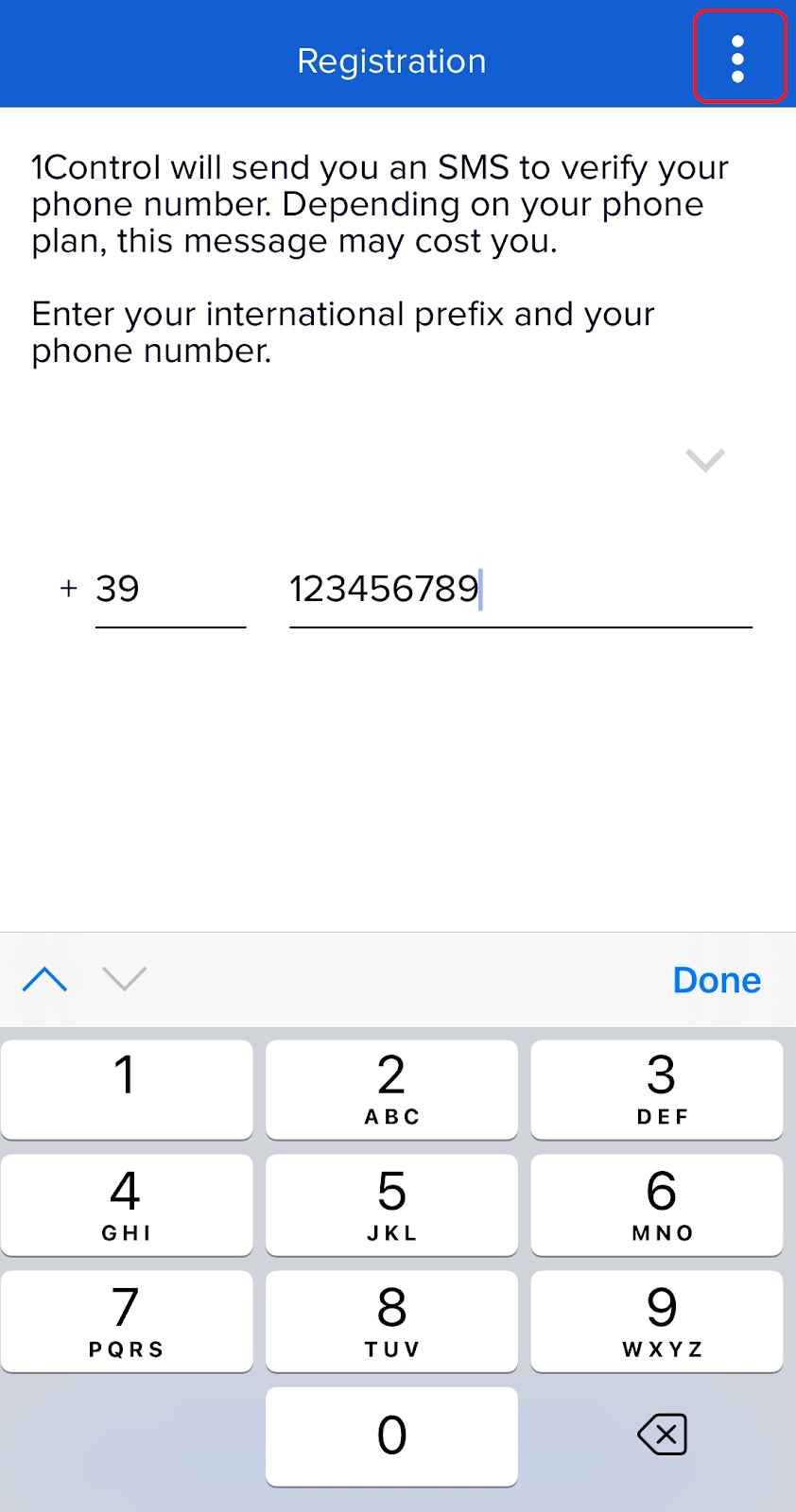
1. Insert your prefix and your phone number, then open the menu by clicking on the 3 vertical points on top right and then click on "Alternative Registration"
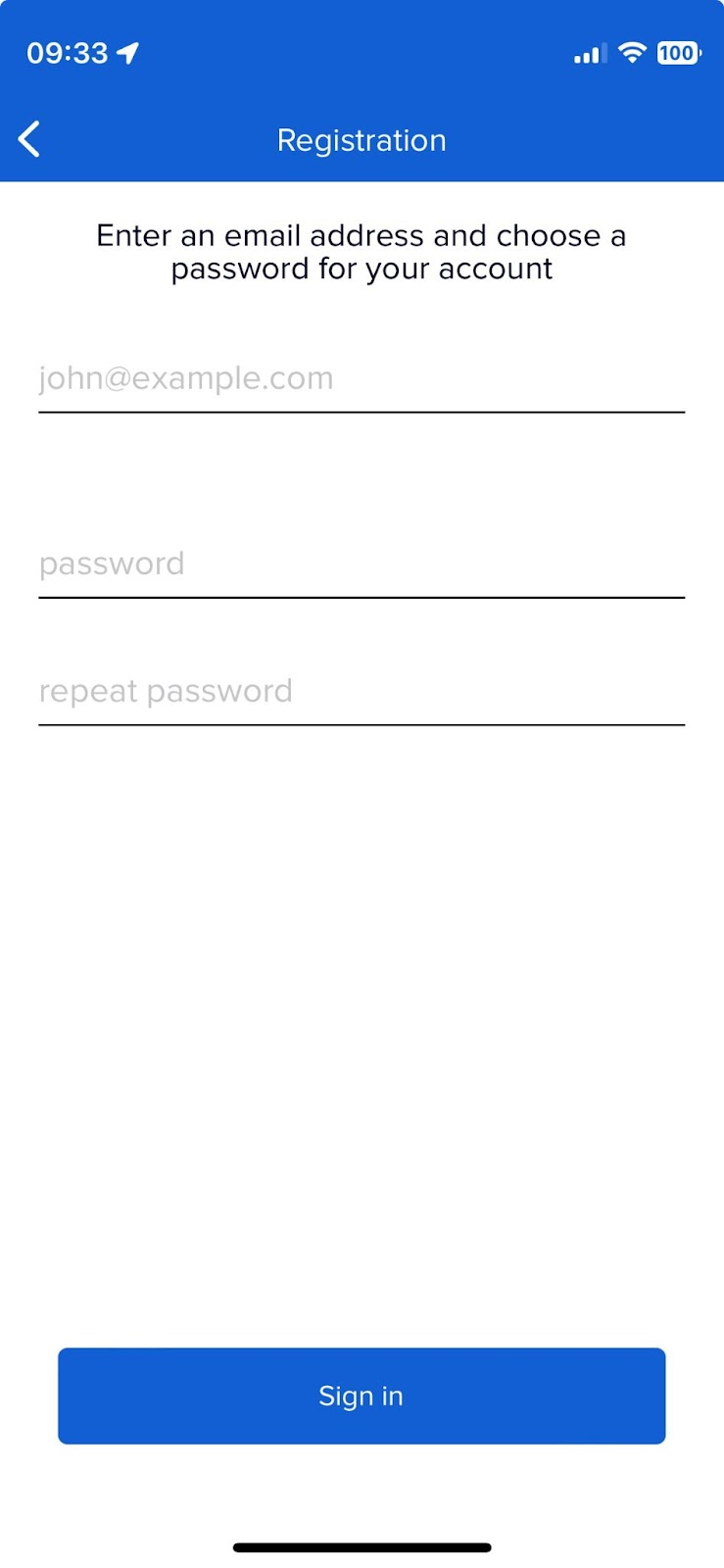
2. Enter your email address, choose a password and press the "Sign in" button
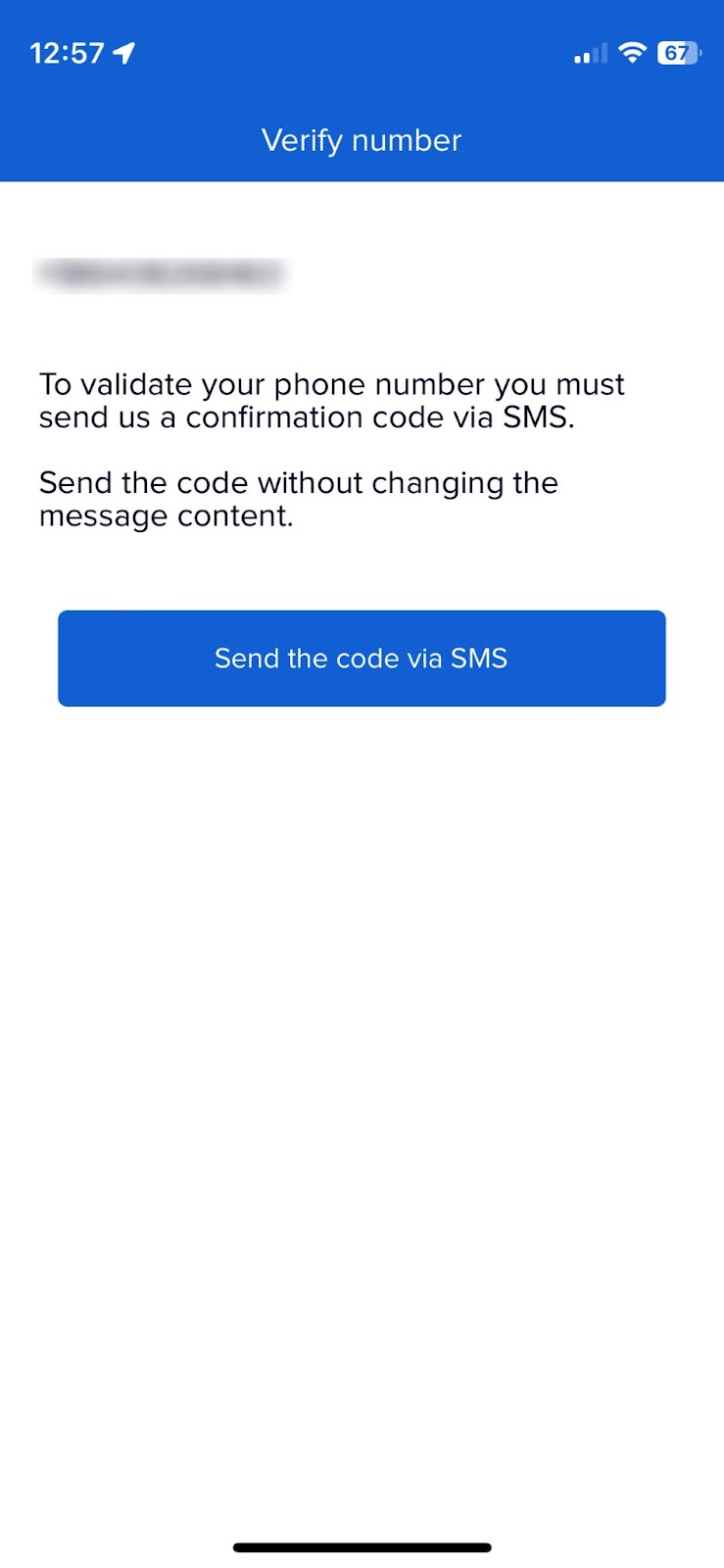
3. Now the system needs to validate the entered phone number. Press the "Send code via SMS" button and send the prompted text without changing it.
Please make sure that the phone number you entered is the same as the SIM phone number from which you are sending the SMS message
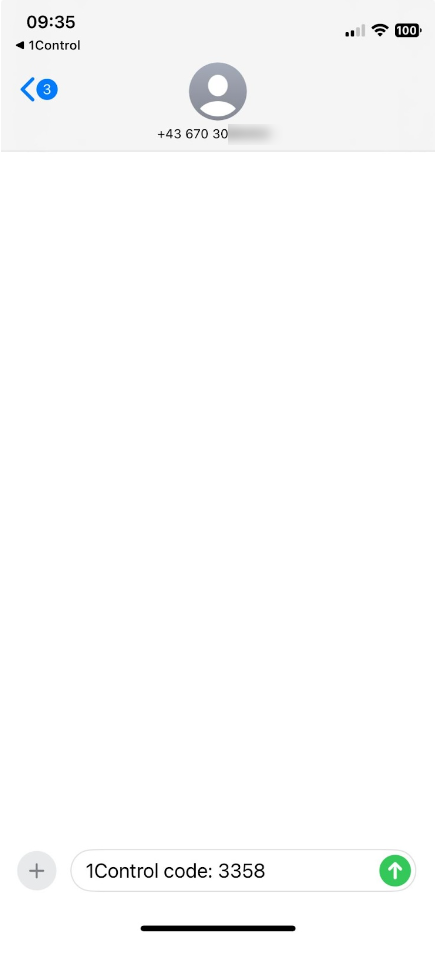
4. After sending the sms, go back to 1Control app and press "Yes" button on the message dialog asking "Did you send the message via SMS?"
5. If the procedure was successful, you will be able to proceed with using the app
What to do if it doesn't work
Please make sure that the phone number you entered is the same as the SIM phone number from which you are sending the SMS message.
Please make sure you don't change the text of the SMS you send.
If you encounter any problems, do not hesitate to contact our technical assistance by filling out the request at this link: www.1control.eu/en/help