To complete the copy, follow the procedure as indicated
- Start copying until the "Check Operation" screen
- Press the menu key at the top right to enter manual recording as in the image below
- Move the slider above 4 seconds

- Briefly press the RADIO button, the DL3 LED turns off to indicate entering programming mode.
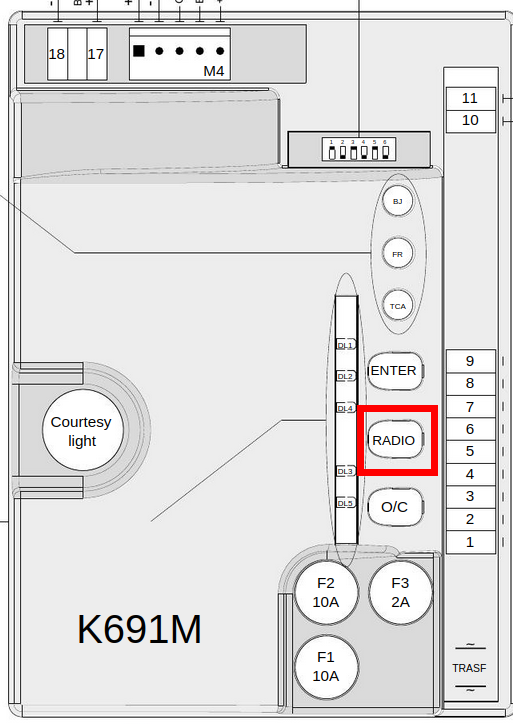
- On the app, press the key Transmit the opening signal .
- The DL3 LED turns on again to confirm the correct saving.
- Wait 10 seconds to exit programming mode
ATTENTION! If the DL8 LED starts flashing quickly for 3 seconds, it means that the memory is full