To complete the copy, follow the procedure as indicated
- Start copying until the "Check Operation" screen
- Press the menu button at the top right to enter manual recording as shown in the image below
- Move the slider above 4 seconds

- Briefly press the P1 key, the DL8 LED turns off to indicate entering programming mode.
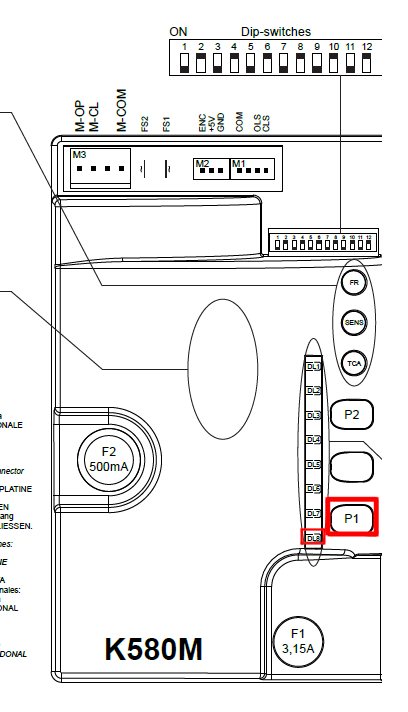
- On the app, press the key Transmit the opening signal .
- The DL8 LED turns on and off quickly, confirming the correct saving
Wait 10 seconds to exit programming mode
If the copy is to be made on the second channel, press the P2 key instead of P1
WARNING! If the DL8 LED starts flashing quickly for 3 seconds, it means that the memory is full