Try following this process to complete the copy
- Start copying until the " Check operation " screen
- Press the menu button at the top right to access manual recording as shown below
- Move the upper slider to 1 second

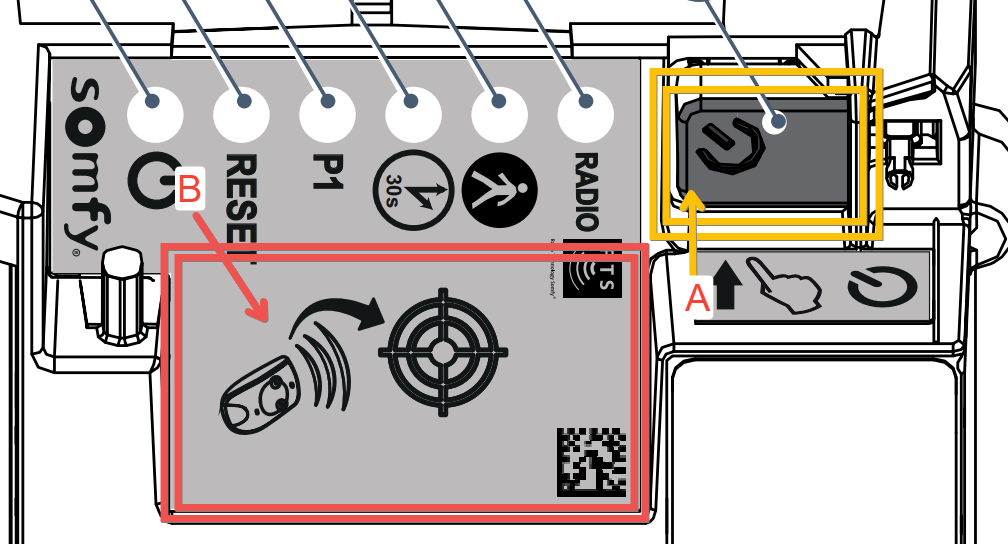
- Press the programming button (A in the image below, highlighted in orange) for 2 seconds, the corresponding LED lights up
- Place the device SOLO close to the programming target (B in the image below, highlighted in red) of the control board
- On the app, press the " Send opening signal " button
the LEDs  they should turn on and off again to confirm that the copy is complete, if not repeat step 6