There are 2 ways to determine if you have a 1st or 2nd generation device:
1) Check the back label of the device:
- If the serial code preceded by "Serial:" is printed, it is a first generation device 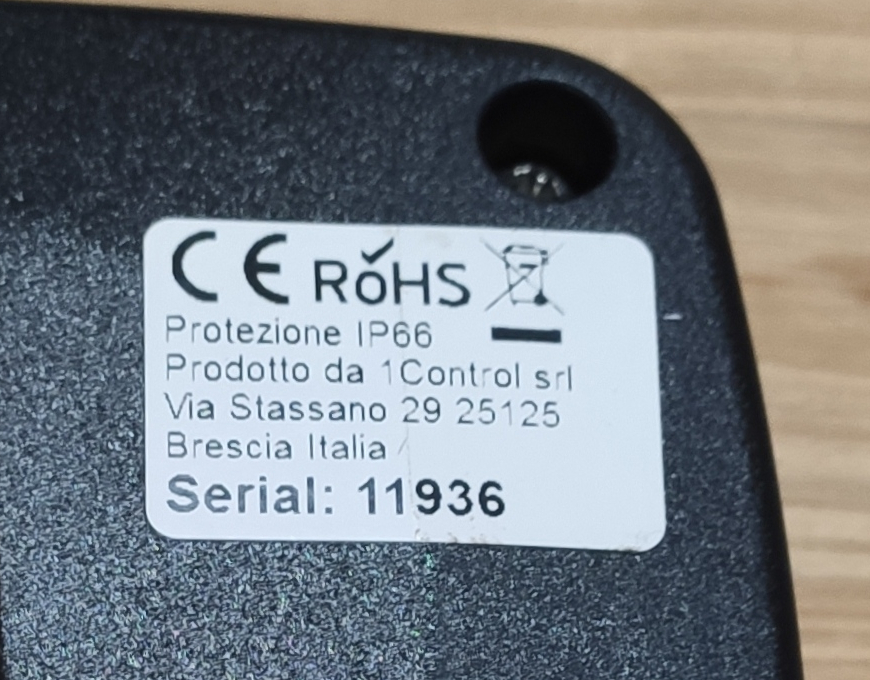
- If the serial is not printed, or is preceded by "Sn:" it is a second generation device 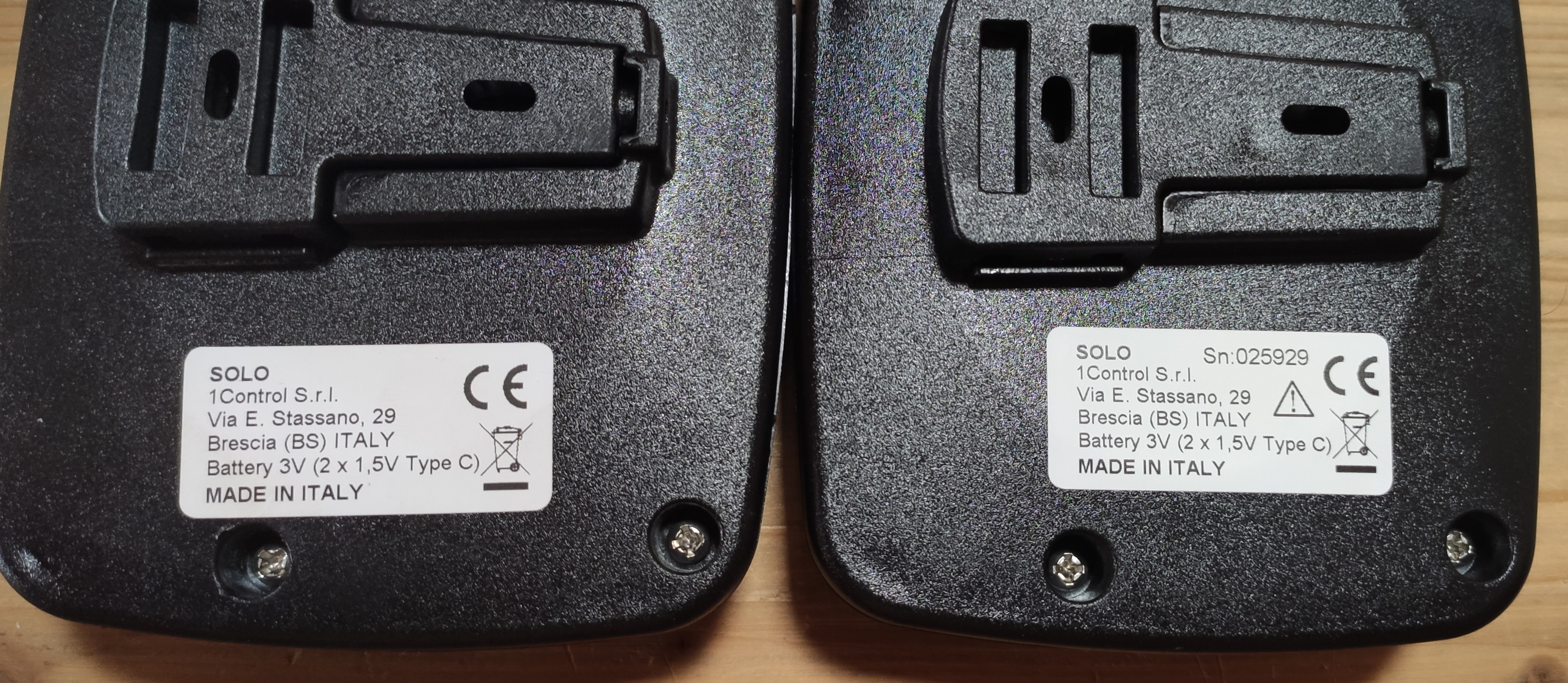
2) Check the app used:
- First generation devices use the "1Control Solo" app with a gate icon:

- Second generation devices use the "1Control" app with the 1C logo icon: