If after placing an order at the 1Control e-commerce (https://www.1control.eu/ecommerce/en/shop.php), you need to download the invoice relating to the purchase, follow the following guide:
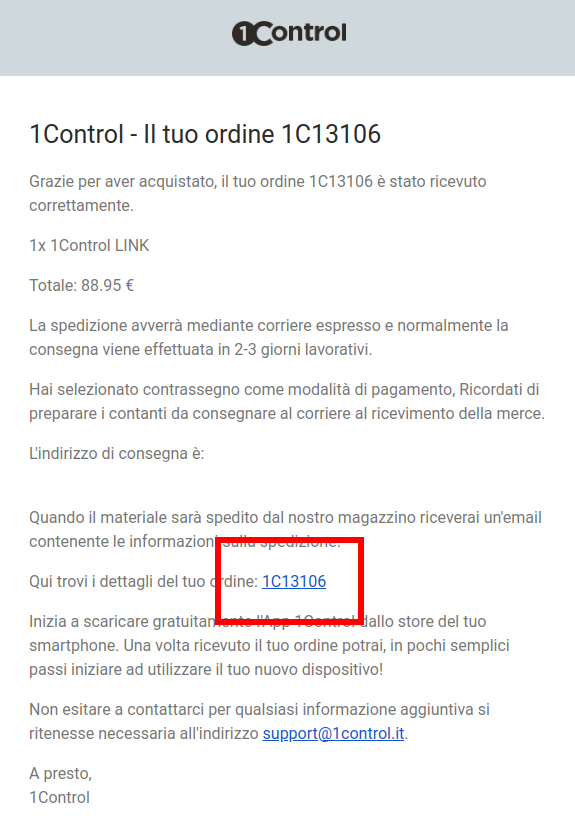
1) Find your order confirmation email and click on the link that is marked in the red box.
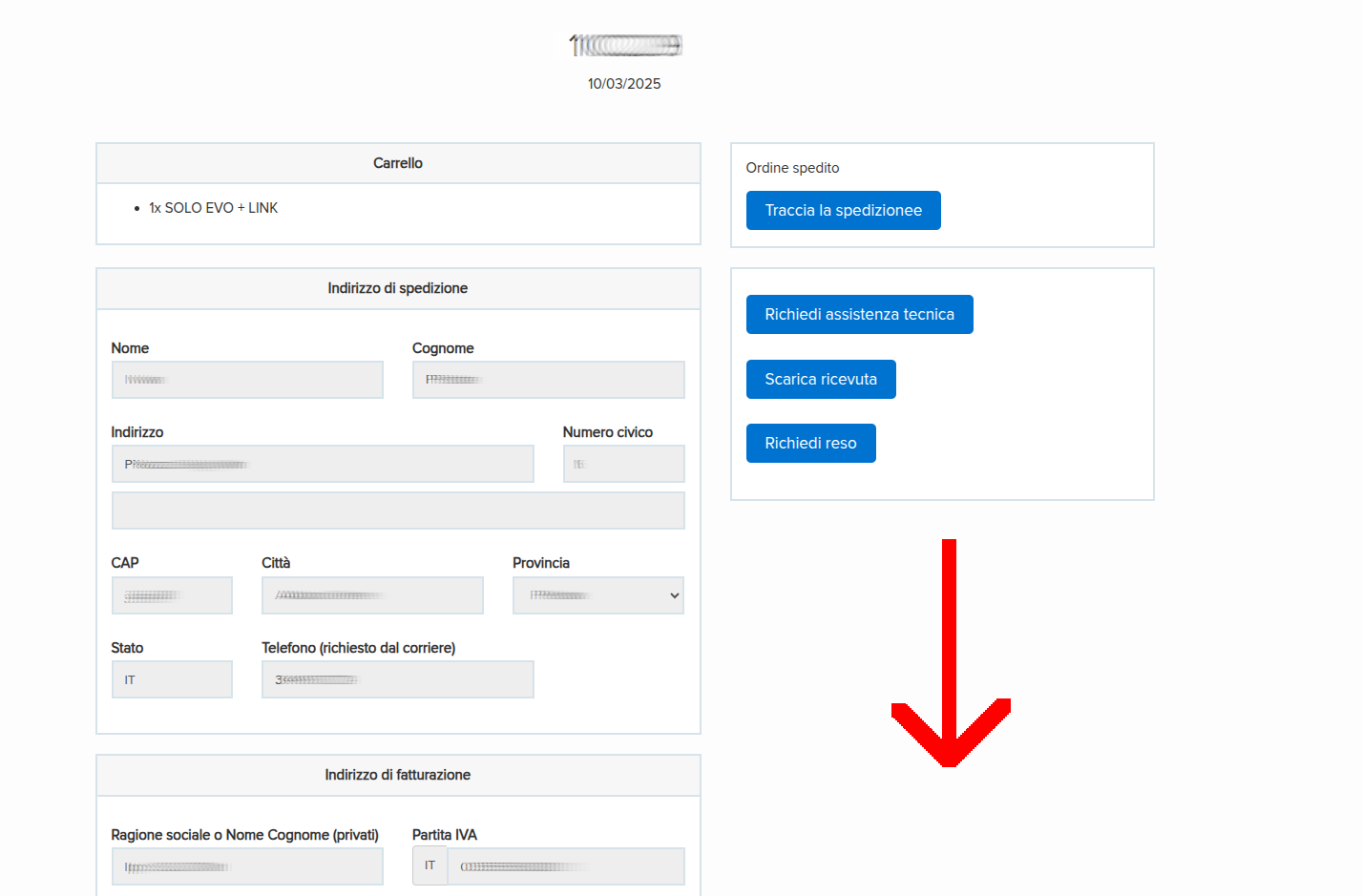
2) The Order Management page will open. From the Order Management page you will be able to:
- Track your shipment status.
- Open a technical support request.
- Download the receipt.
- Request a return (within 30 days of the purchase date)
- Download the invoice (only if you entered your VAT number when ordering)
3) Scroll down until you reach the bottom of the page
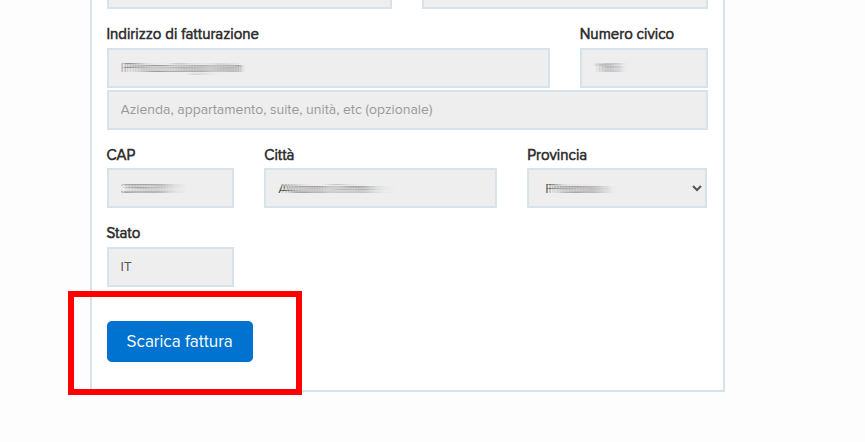
4) Select "Download Invoice"
If you cannot find the order confirmation email among the emails received, contact 1Control support via the Contact Us form: https://www.1control.eu/contattaci.php