To complete the copy, follow the procedure as indicated
- Start copying until the "Check operation" screen
- Press the menu button at the top right to enter manual recording as in the image below
- Move the slider at the top to 10 seconds

- Press and hold the LOGIC button
- Press and hold the SETUP button for approximately 2 seconds
- Release the two buttons at the same time, LED A will start flashing
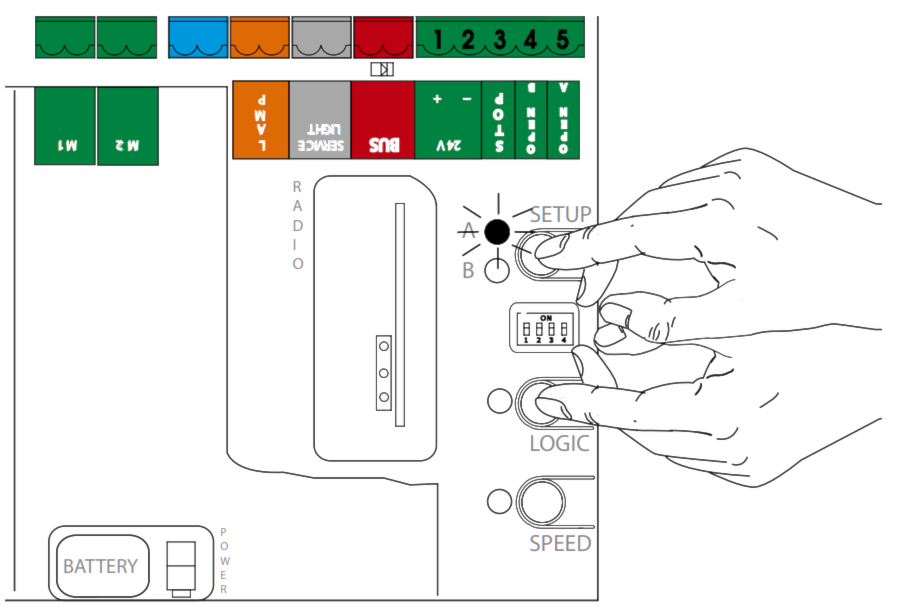
- Press the "Send opening signal" button in the app until LED A lights up steadily, the command has been learned correctly