To complete the copy, follow the procedure as indicated
- Start copying until the "Check Operation" screen
- Press the menu key at the top right to enter manual recording as shown in the image below
- Move the slider above 4 seconds

- Press the radio button
 (the green eds will all light up from left to right)
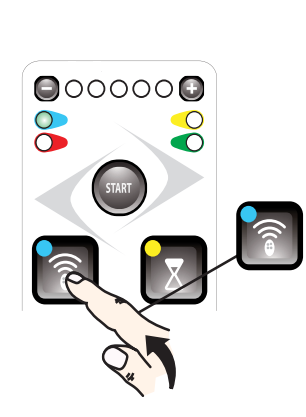
- Press the key in the app "transmit opening signal" , the LEDs will light up again to confirm the copy has been made.
- To conclude the procedure, you can press the radio button twice or wait 25 seconds.