1) Open the 1Control app
2) Go into the settings
3) Open the "Manage your devices" section
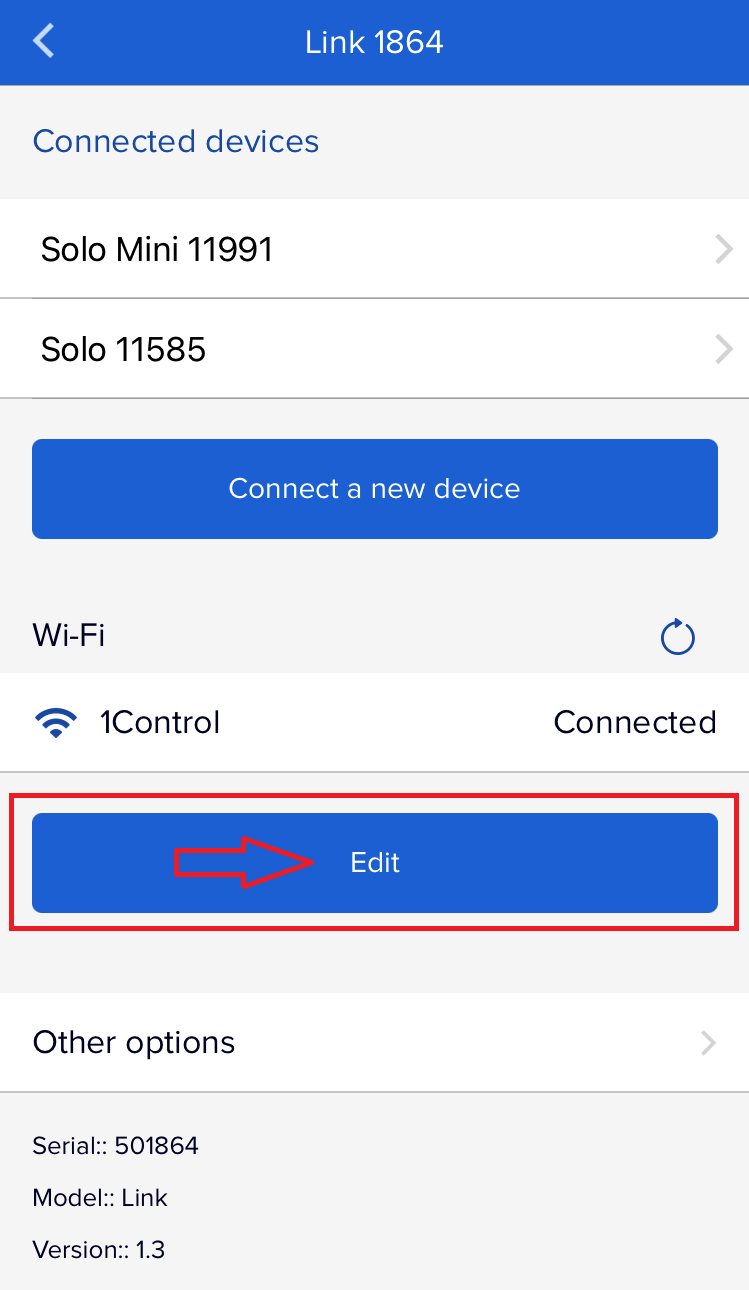
4) Select your LINK
5) In the "Wi-Fi" section, press on "Edit"
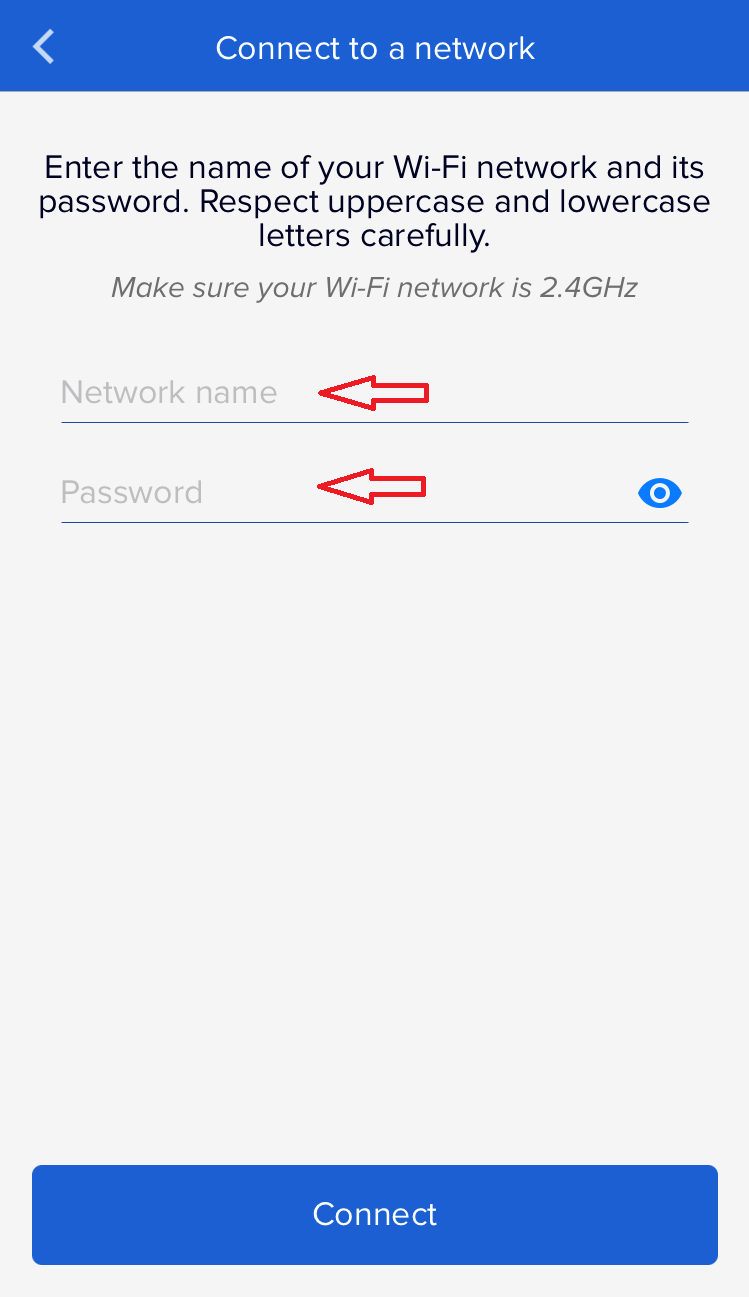
6) Follow the instructions shown by the app
1) Open the 1Control app
2) Go into the settings
3) Open the "Manage your devices" section
4) Select your LINK
5) In the "Wi-Fi" section, press on "Edit"
6) Follow the instructions shown by the app
Was this guide helpful?
Thanks for your feedback!
This guide in other languages: Italiano Deutsch Français Español