To complete the copy of your remote control follow this procedure:
- Start copying until you get to the "Verify Operation" screen
- Press the menu button on the top right to enter manual recording as in the image below
- Move the slider above 6 seconds

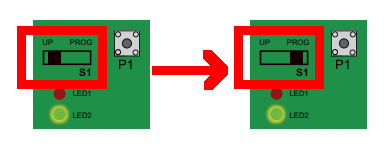
- Put the " S1 " switch in the " PROG " position
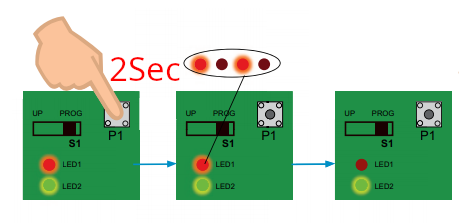
- Press the " P1 " button for 2 seconds , the red LED " LD1 " flashes then turns off, release the " P1 " button immediately
- Keeping the SOLO near the control unit, press the " Transmit opening signal " button in the 1Control app and wait approximately 10 seconds
- The red LED lights up again to indicate a successful copy of the signal.
- Return the " S1 " switch to its original position