To complete the copy, follow the procedure as indicated
- Start copying until the "Check Operation" screen
- Press the menu button at the top right to enter manual recording as shown in the image below
- Move the slider above 4 seconds

- Set lever 5, squared inside the levers, to ON. The ON position is indicated by the writing in the corner
- Set one of the levers from 1 to 4 to ON according to the channel where you want to save the remote control.
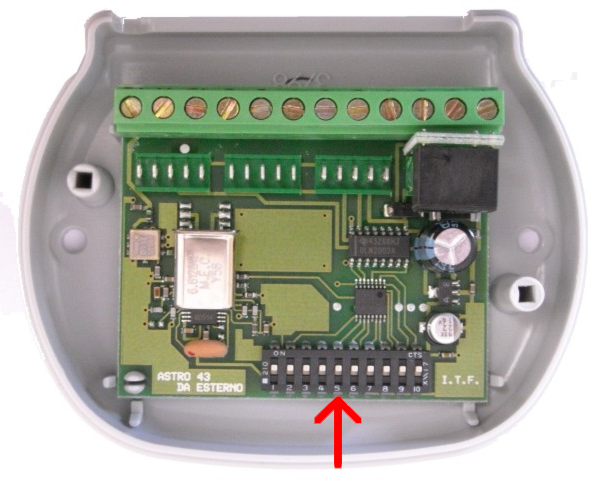
- on the smartphone, press Transmit opening signal , the LED on the receiver should flash.
- return the levers to OFF