To complete the copy, follow the procedure as indicated
- Start copying until the "Check Operation" screen
- Press the menu button at the top right to enter manual recording as shown in the image below
- Move the slider above 4 seconds

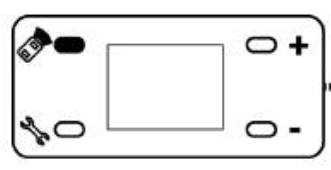
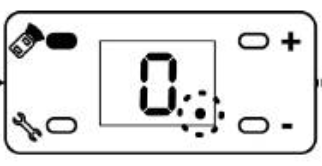
- On the control unit, press the button highlighted in black until the dot on the screen lights up as in the second image, then release the button
- On the app, press the Transmit open signal button.
- The engine should beep and the dot should go out.