To complete the copy, follow the procedure as indicated
- Start copying until the "Check Operation" screen
- Press the menu button at the top right to enter manual recording as shown in the image below
- Move the slider above 4 seconds

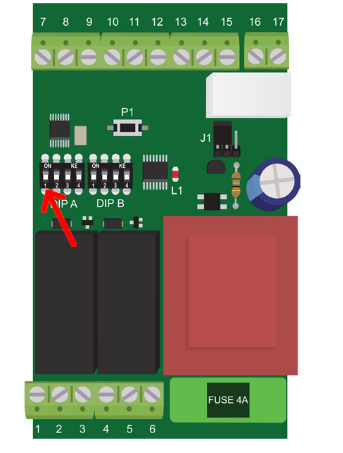
- Make sure that DIP1 (shown in the image) is in the OFF position. The automation is in the CLOSED position
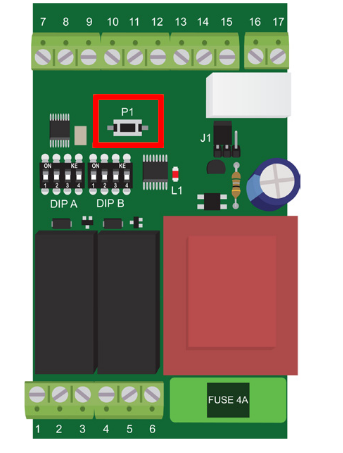
- Press the P1 button on the board once. The L1 LED stays on, waiting for a command for 10 seconds.
- On the app, press the Transmit opening signal button
- LED L1 should flash with 6 short and one long flash to indicate the completion of the copy procedure