Follow the steps below to complete the copy
First make sure that the gate is closed
1) Start copying until the "Operation Check" screen
2) Press the menu key at the top right to enter manual recording as shown below
3) Move the slider above 10 seconds 
4) Put the S1 selector in automatic mode
5) Press and release the RED button, the LED will flash.
6) In the application, press the "Transmit open signal" button
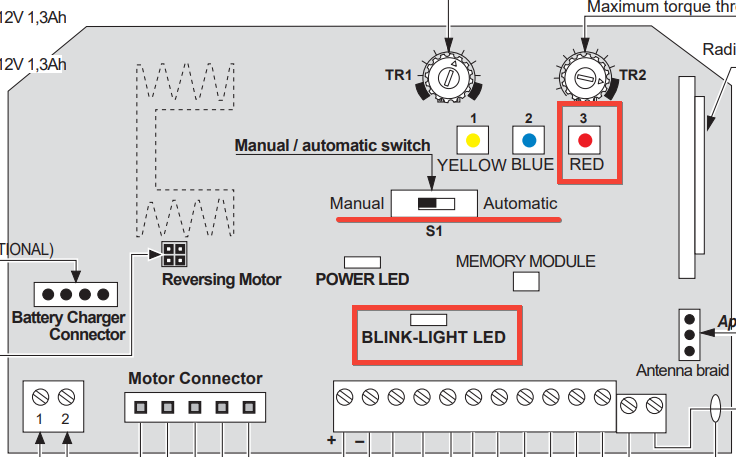
The Blink-Light LED will flash twice to indicate that the SOLO has been registered.