- Start copying until the "Verify Operation" screen appears
Press the menu button on the top right to enter manual recording as in the image below
Move the slider above 5 seconds

- Locate the programming buttons and LEDs located next to the control unit:
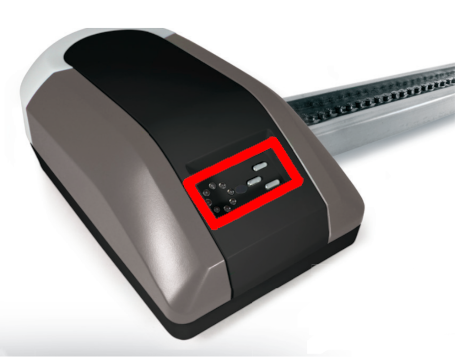
Press the P button until LED 7 flashes

Press the + button, all the LEDs turn off except LED 7
In the 1Control app, press the "Transmit opening signal" button and wait approximately 10 seconds
All LEDs light up except LED 7 which should be flashing
On the control unit press the P button, all the LEDs should turn off except LED 3 which remains on
Power
Was this guide helpful?
Thanks for your feedback!