To complete the copy, follow the procedure as indicated:
- Start copying until you reach the "Check Operation" screen.
- Press the menu button at the top right to enter manual recording as shown in the image below
- Move the slider above 4 seconds

- On the board, locate the plug-in receiver at the top
- On the receiver, press the programming button once for one second, the receiver should beep twice
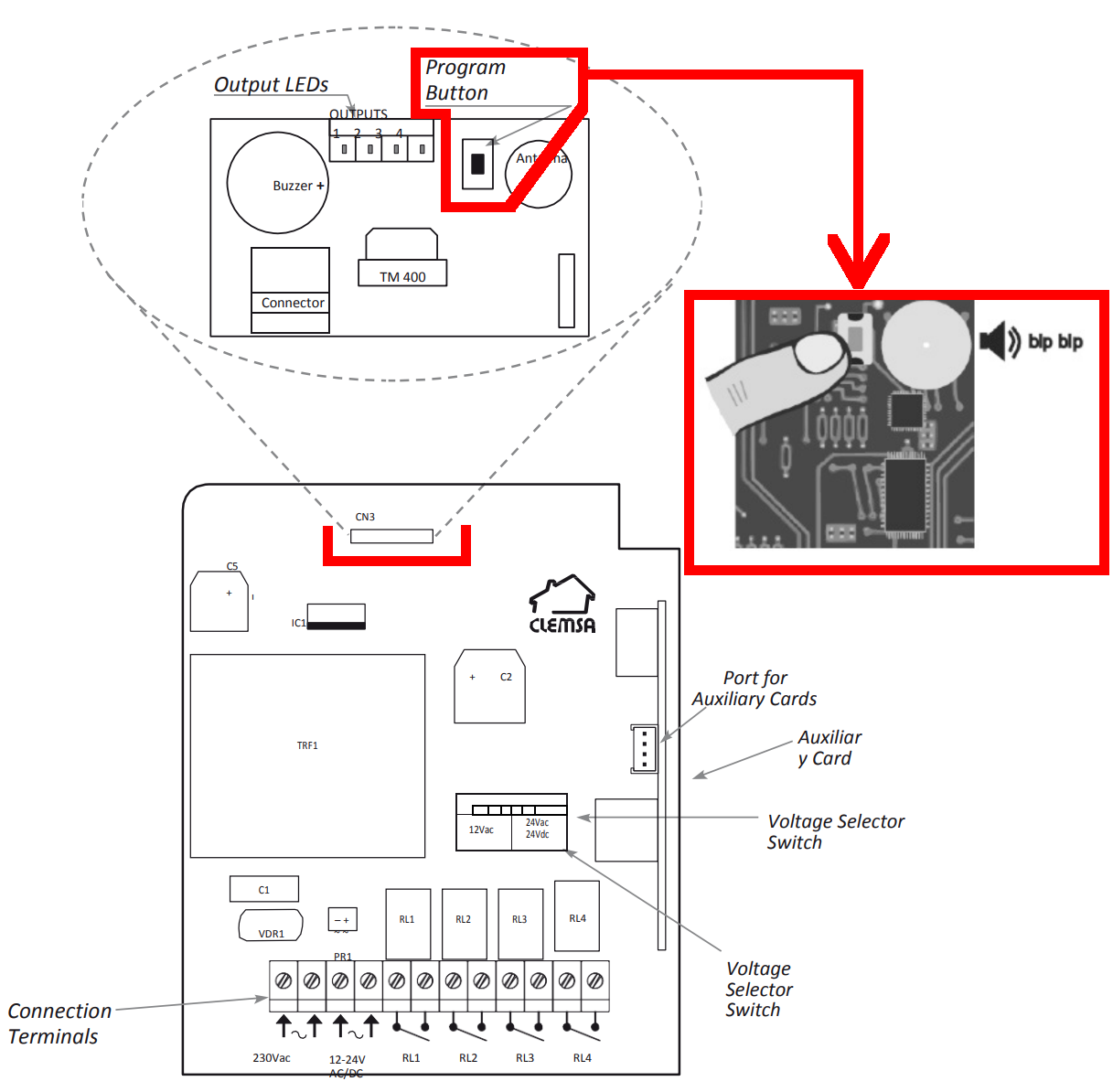
- Press "Transmit opening signal" in the app, the receiver should emit a single beep to confirm learning.
- Wait one minute for the receiver to exit copy mode
- In the app, press the "Next" button at the bottom
- Press the "Open/Close" test button once every 5 seconds until the automation opens.