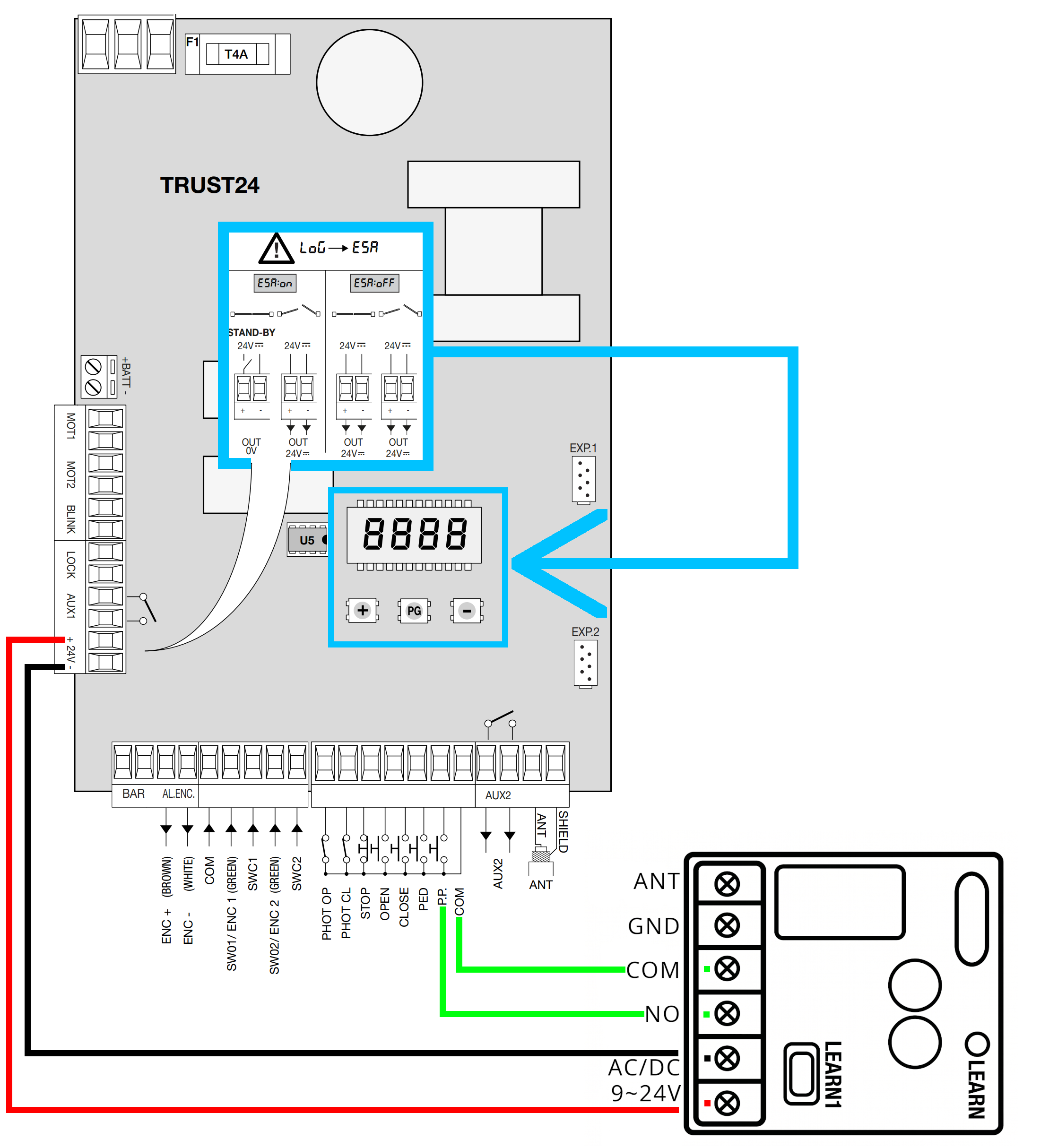
Caution: Disconnect power from the control board before beginning any wiring.
Each existing wire must be left connected and if the SOLO KIT connection uses the same contact as other wires, the new wires must be added to those already present in the same contact.
If, once the KIT has been connected, the opening is not successful and when you press the opening button on the remote control you do not hear a light "click" coming from the receiver, it will be necessary to disable the energy saving option in standby.
To do this, just follow this guide:
- Locate the "+", "PG" and "-" buttons on the control unit, highlighted in blue
- Press the "PG" key
- Using the "+" and "-" keys select the "LOG" section
- Press "PG"
- Using the "+" and "-" keys set the "ESA" parameter
- Press "PG"
- Using the "+" and "-" keys select "off"
- Press "PG"
- Press the "+" and "-" buttons simultaneously several times until the display turns off or displays "8888"
- Wait approximately 1 minute for the control unit to exit programming mode