To complete the copy, follow the procedure as indicated:
- Start copying until you reach the "Check Operation" screen.
- Press the menu button at the top right to enter manual recording as shown in the image below
- Move the slider above 4 seconds
- Get SOLO close to the control unit (less than 20cm)

4. Press and hold the MEM button on the control unit. The LED will flash slowly.
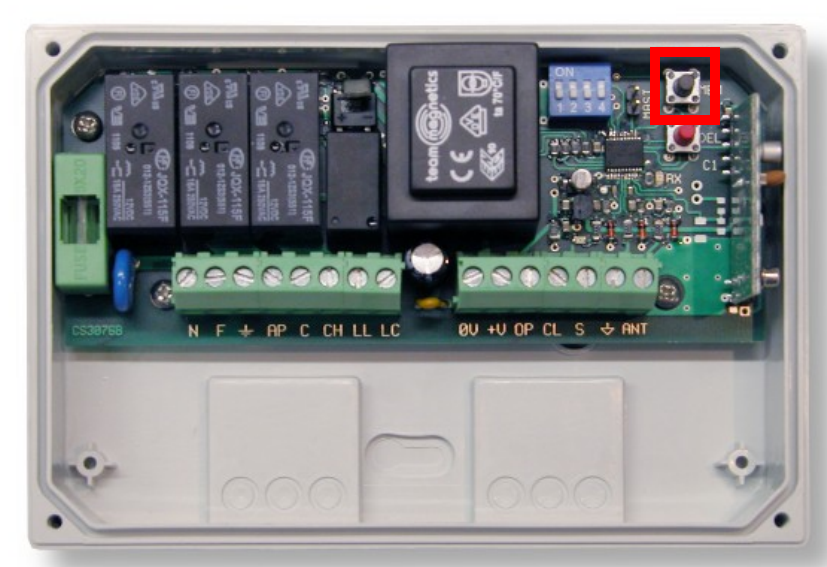
5. While pressing the MEM button, simultaneously press the "Transmit opening signal" button on the 1Control app, the LED will remain lit steadily to indicate that the device has been saved to memory.
6. Release the buttons and check for proper operation. If it doesn't work, extend the transmission time to 10 seconds.