To complete the copy follow the procedure as indicated
- Start copying until you get to the "Verify Operation" screen
- Wait until the gate/garage is closed
- Press the menu button on the top right to enter manual recording as in the image below
- Get as close as possible ONLY to the control unit
- Move the slider above 4 seconds.

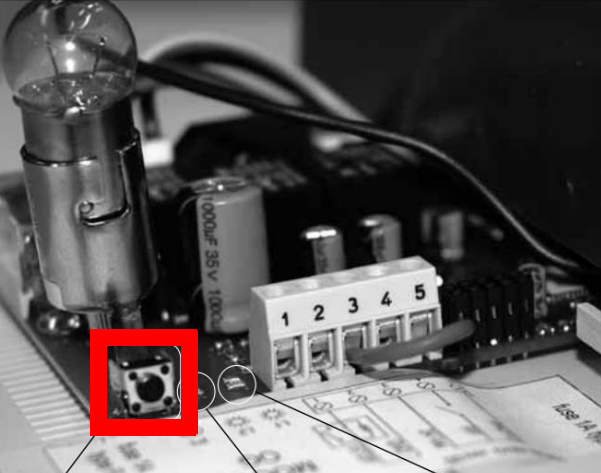
- Press the P1 button on the control unit once (highlighted in red).
- Within 10 seconds press the "send opening signal" button
- The green LED will flash 3 times to indicate that registration has taken place.
- Press Next and press the round Open/Close button to test the opening.