Follow the procedure below to complete the copy:
- Start copying until you reach the " Verify Operation " screen
- Press the top right button to access manual recording as shown below
- Move the upper slider to 4 seconds

- Press the learning button, marked " 1" , for about 2 seconds, the LED marked 3.1 lights up
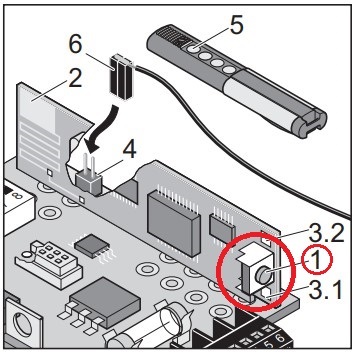
- On the application press the " Transmit opening signal " button and wait 10 seconds
- LED 3.1 will turn off to indicate successful storage.