To complete the copy follow the procedure as indicated
- Start copying until the " Verify Operation " screen appears.
- Press the menu button on the top right to enter manual recording as in the image below
- Move the slider above 6 seconds

- On the control unit Locate the " UP ", " DOWN " and " E " buttons
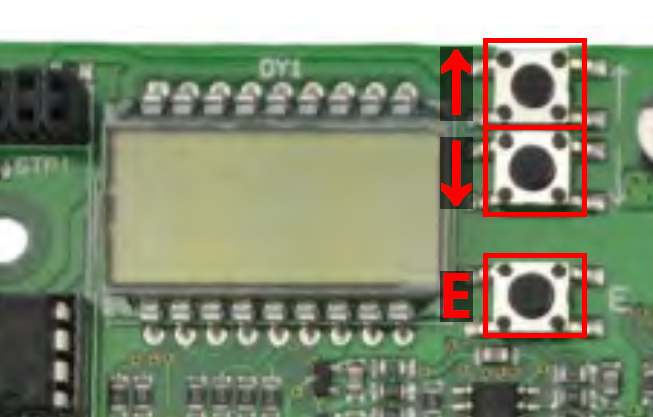
- Press the " E " key to enter the configuration menu
- Using the " UP " and " DOWN " buttons, navigate the menu until you find the " Add Transmitter " section and press " E " (depending on the language set on the control unit this section could be also called "Agg. Radioc." or "Aj. Telec.")
- Using the arrows select " 1ch " and press " E "
- On the app, press the " Transmit signal " button to open.
- Press the " E " button for 2 seconds, several times if necessary, until the control unit exits programming mode.