Caution: Disconnect power from the control board before beginning any wiring.
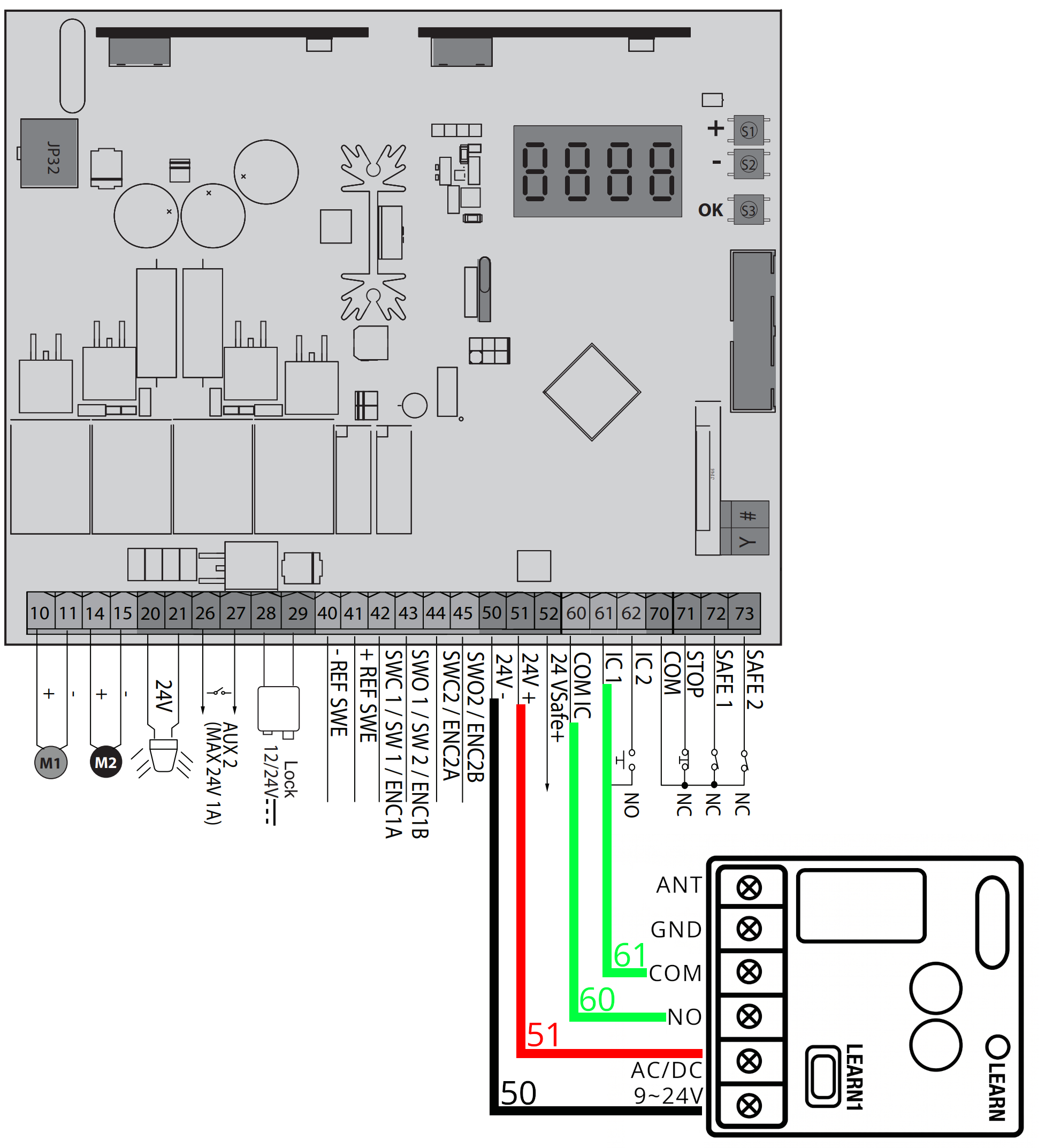
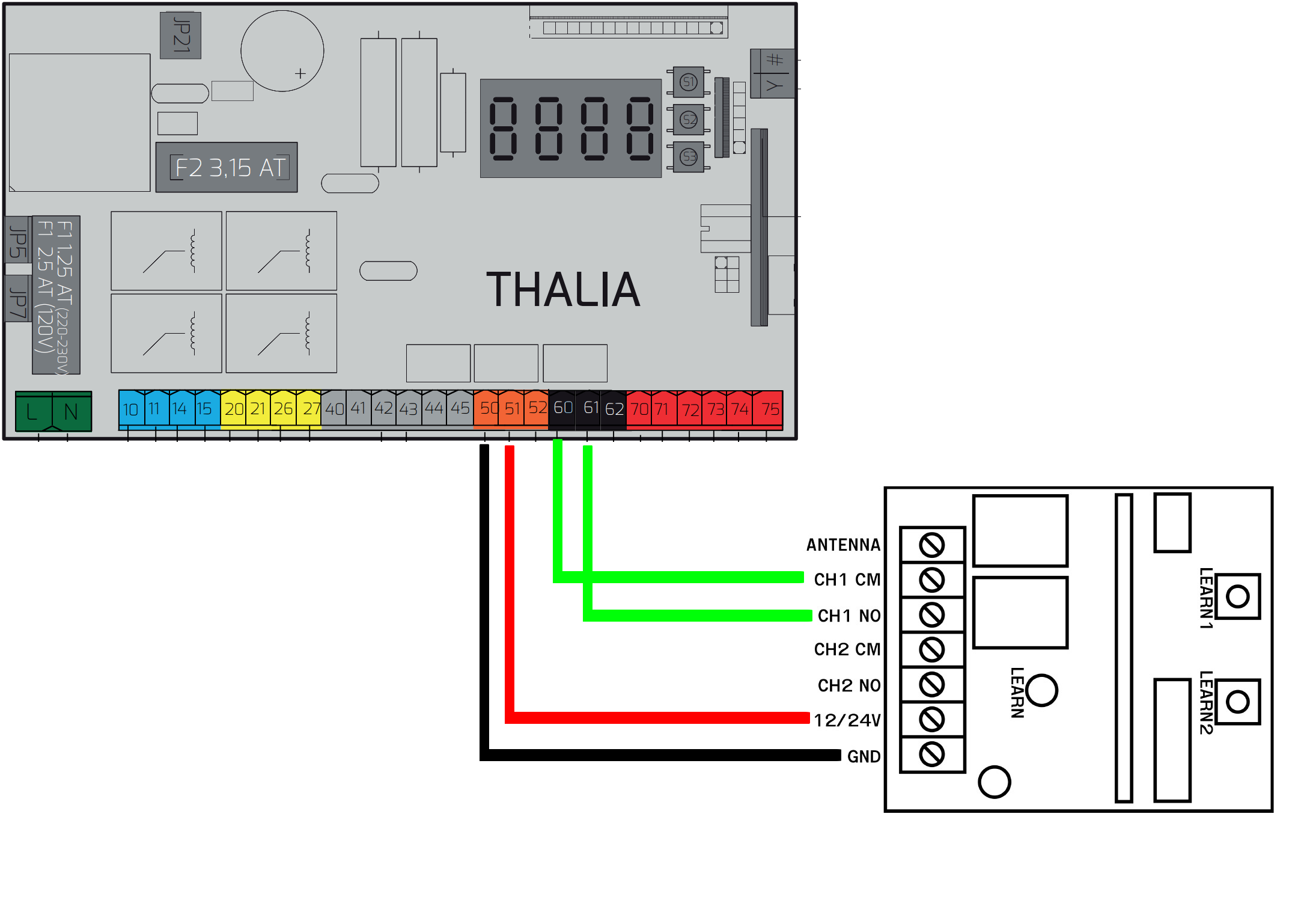
Any existing wires must be left connected and if the SOLO KIT connection uses the same contact as other wires, the new wires must be added to those already present in the same contact.
SOLO KIT generation 2 (black):
SOLO KIT generation 1 (grey):
If, after connection, the gate does not open using the SOLO KIT remote control, it is recommended to perform this test:
- Operate the gate using the original remote control
- While the gate is still moving, try to operate it again using the SOLO KIT remote control, the gate should stop
- By sending the command again from the SOLO KIT remote control, the gate should start to close
If the SOLO KIT remote control works while the gate is moving, it will be necessary to deactivate the energy saving option on the control unit, which turns off the power used by the SOLO KIT while the gate is "at rest". The procedure is as follows:
- Locate the "+", "-" and "OK" buttons on the control unit:
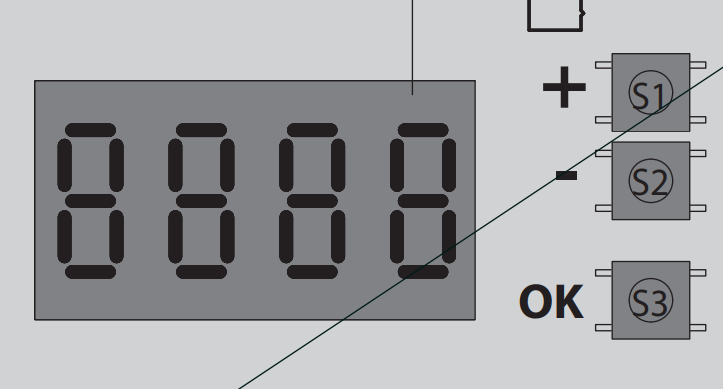
- Press the "OK" button twice, the display should read "Para".
- Using the "+" and "-" buttons navigate the menu until "Logic" is displayed.
- Press "OK".
- Using the "+" and "-" buttons navigate the menu until "Stand by" is displayed.
- Press "OK".
- Using the "+" and "-" buttons navigate the menu until "0" is displayed.
- Press "OK".
- Press the "+" and "-" buttons simultaneously to exit the menu.
- Please wait a couple of minutes for the setting to take effect.